Create windows 10 bootable USB an easiest way - for non-techies
Create windows 10 bootable USB from an ISO file
Microsoft recently released its latest version of operating system named as windows 10. Windows 10 released with the latest technology involved in terms of optimization, performance, and security. It was officially released in June 2015. Here I am going to write about how to create windows 10 bootable USB, and you need to download ISO from Microsoft website. And a disk image maker. Follow the steps given below correctly.
Steps: How to put windows 10 on USB
- First, you need to download ISO image of Windows 10 from Microsoft website. You can download for free and make sure you have enough disk space available on your computer, or whichever device you are using. You can go to this link to follow how to download windows 10 iso.
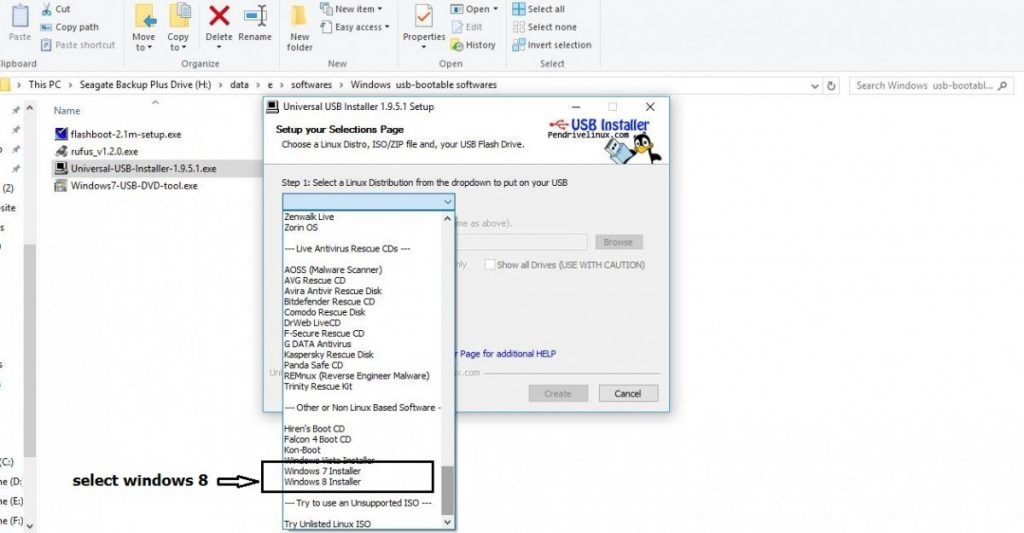
- To create windows 10 bootable USB you need to download disk image maker. The specialty of this disk image maker is that It has the feature to make disk images of a large number of operating systems. You can download from here.
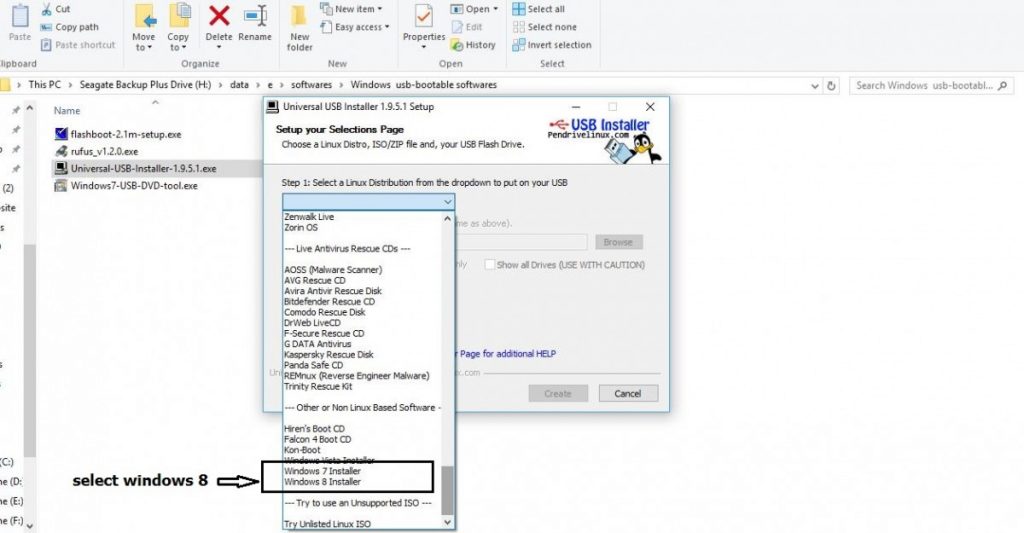
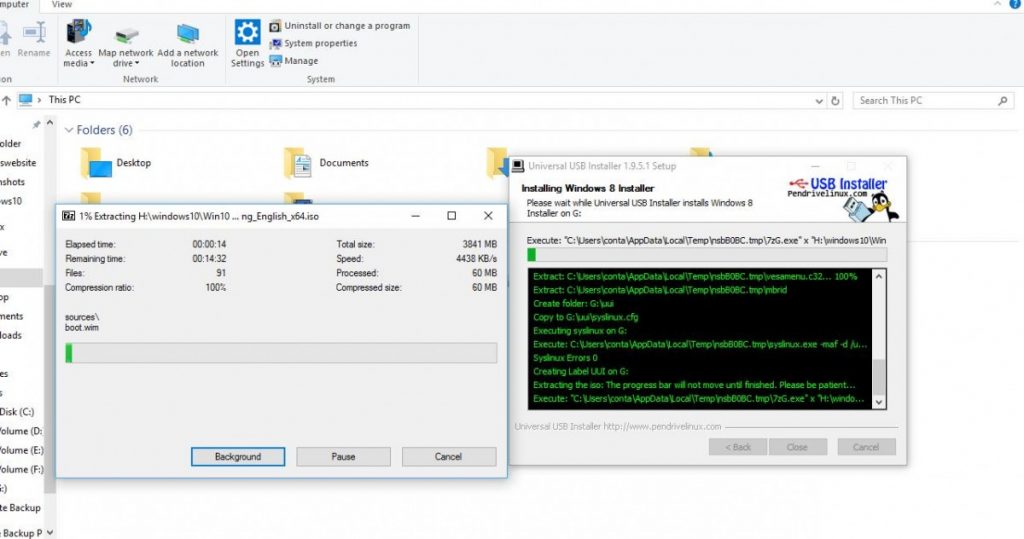
- Open the disk image maker, and select the operating system as “Windows 8”. (don’t worry its installation is same for windows 10.) (See Fig)
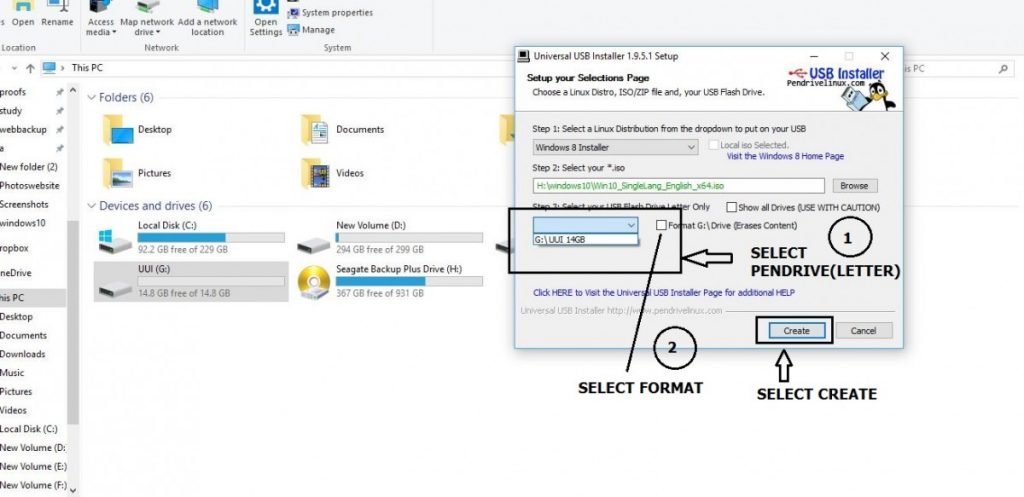
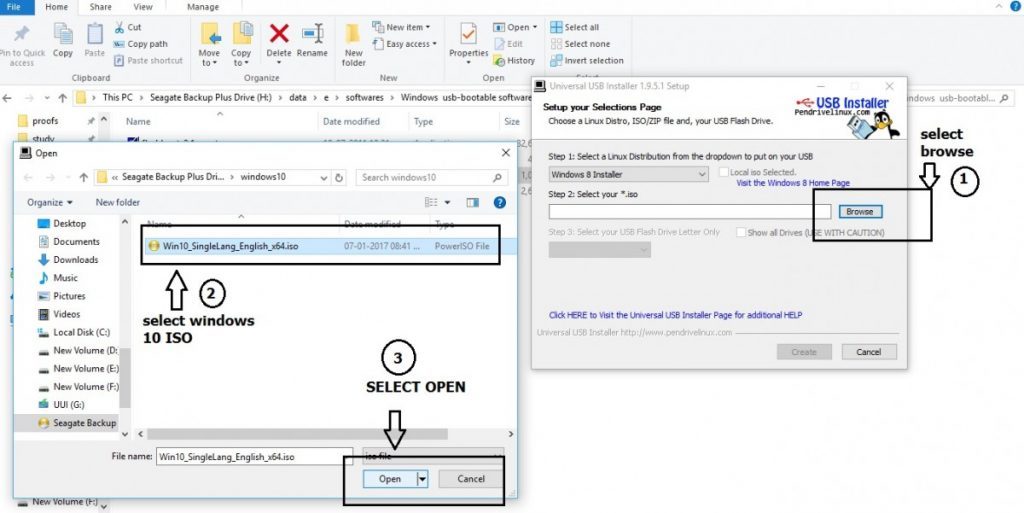
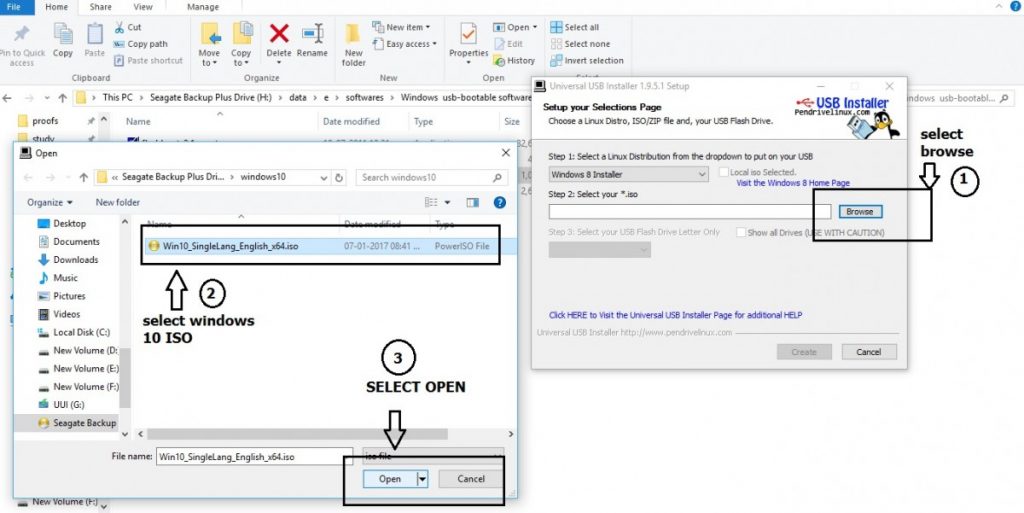
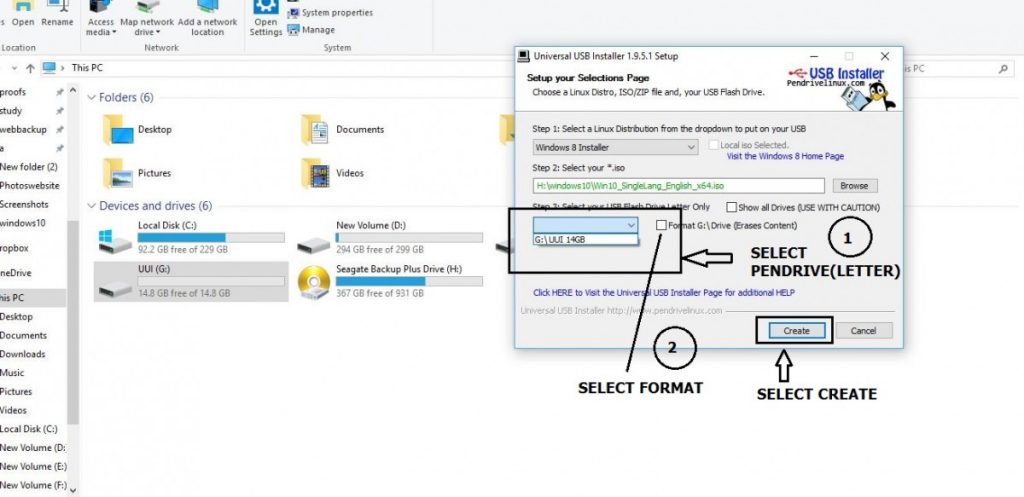
- Click on browse and select the ISO image file that you have downloaded from Microsoft website. and make sure you have formatted Pendrive with which you are going to create the bootable disk.(See Fig)
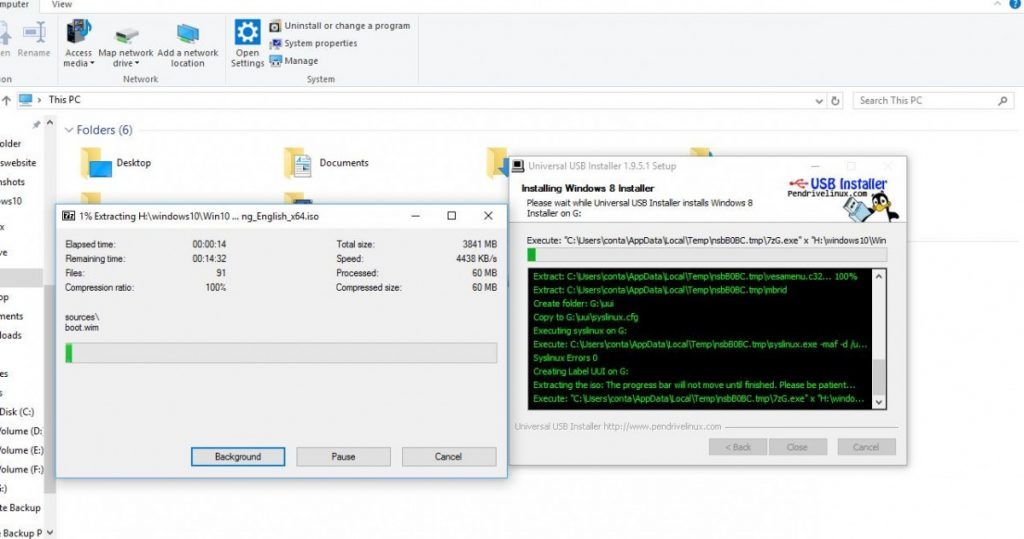
- Congrats..!! You have done with Creating Windows 10 USB. Next step is installed on computer Please follow the steps from here to Install windows 10 safely.

Comments ()